audio file hosting
To Listen, Share or Backup your Songs.

Free Audio Hosting: Best Music File Sharing & Music Cloud storage

MUSIC CLOUD STORAGE & AUDIO FILE SHARING

Online audio hosting makes it easier to store music in the cloud, back up your catalogue, share songs with collaborators, or stream files from anywhere.

If you are wondering where to store music online for free, there are now several solid options. Some platforms are designed for music playback and library management, while others are better suited to file transfer, private sharing, or long-term backup.

In this guide, you will find the best audio file-sharing sites for different needs - from backing up your music collection to sending mixes and masters to artists, DJs, mixing engineers, mastering engineers, clients, or fans. Some services also support audio embedding, which is useful if you want to host music on your website.

A few providers are built specifically for audio workflows and make it easier to preview tracks, leave comments, or share music through a dedicated player. Others are more general cloud storage services. They may not be designed for music production, but they can still work well for sending files, storing projects, and keeping your archive accessible.

If your goal is to store a personal music catalogue online, services like YouTube Music and iBroadcast are especially relevant. They are built for listening and library access rather than client delivery. If you need to share music privately, platforms such as Fidbak.audio and SoundCloud offer web-based playback and link sharing, which can be useful for demos, previews, and feedback.

General cloud storage services like WeTransfer, Google Drive, pCloud, MEGA, and Dropbox are also worth considering. They are not always optimized for audio-specific workflows, but they remain useful for file transfer, backup, and simple sharing.

Whether you want to upload WAV, AIFF, or MP3 files, back up your songs, share mixes with collaborators, or send music to friends, the tools below cover the most practical options.

Table Of Contents

Your invitation
Mix Mastering Insights for Electronic Music
Join this Newsletter.
Learn the secrets of electronic music production. exclusive Mixing & Mastering techniques to beat the competition.

BEST CLOUD STORAGE FOR MUSIC- HOW TO HOST & SHARE AUDIO FILES

  • Sharing: How to send large audio files online for free
  • Streaming: How to find your perfect cloud music storage, backup your songs and play your music online
pcloud
pcloud file hosting

PCloud

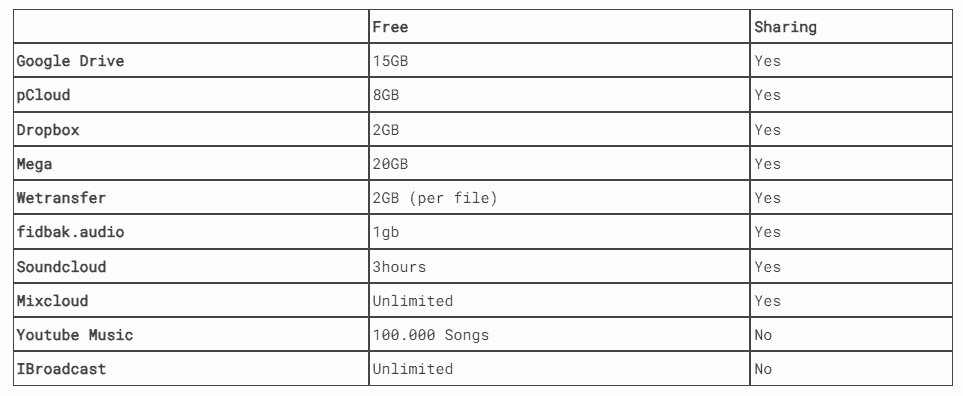
pCloud is a good fit if you want simple cloud storage for music files rather than a specialist audio review platform. It gives you up to 10 GB free, works across devices, and still offers lifetime plans in 500 GB, 2 TB, and 10 TB. That makes it a practical choice for backing up songs, sharing files, and keeping your music library accessible wherever you are.
Learn More

Stacktune

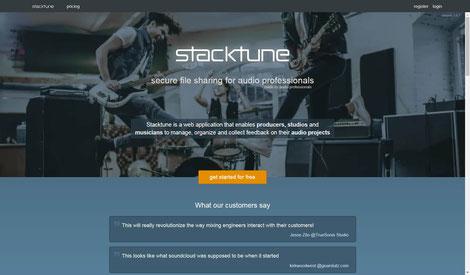
Stacktune is built for music collaboration. It helps you compare versions with level-matched playback and automatically aligned mixes, collect feedback, and keep revisions organized in one place. That makes it more useful than a generic file host when you are working with alternate mixes, client notes, or band feedback. It also offers a 30-day free trial, with plans for both musicians and recording studios.
Learn More

Filepass

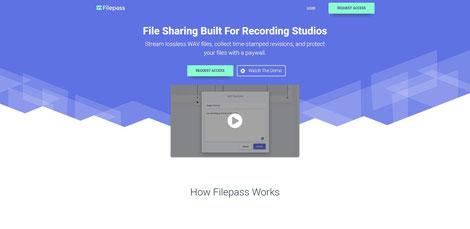
Filepass is made for studios, mixing engineers, and mastering engineers who need a cleaner way to deliver work to clients. It combines WAV streaming, timestamped comments, custom branding, client uploads, and a paywall that can unlock downloads after payment. That makes it especially useful for paid mixing and mastering workflows where review, approval, and delivery all need to happen in one system.
Learn more

Samply File Sharing

Samply is a strong option for sharing mixes and masters when playback quality matters. It supports time-coded comments, loudness matching, embedded players, and optional paywalls, so it works well for private review as well as polished presentation. For producers and engineers who want clients to hear details clearly, that focus on listening quality makes a real difference.
Learn more

Bounceboss

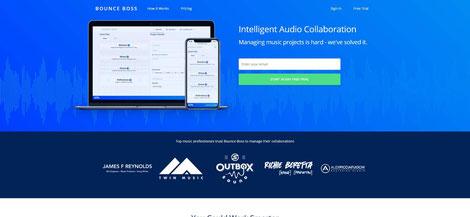
Bounce Boss is designed to make version review less chaotic. You can compare level-matched files, leave time-stamped comments, turn feedback into tasks, manage permissions, and export the whole project for archiving. That makes it especially useful when several people are involved and you need one place to track decisions from first draft to final version. It also offers a 30-day free trial.
Learn more

Fidbak.audio

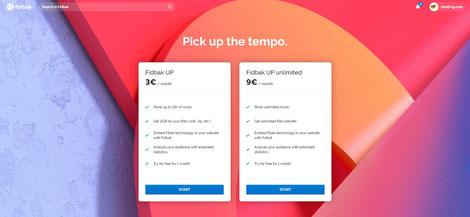
Fidbak.audio is built for secure audio sharing, client feedback, and professional delivery. It offers waveform comments, guest access without account creation, embeddable HD audio players, detailed permission settings, and an optional paywall through Fidbak Boutique. That makes it a strong choice for engineers, labels, and anyone who wants to present music professionally while keeping control over access and downloads.
Learn more

Soundcloud

SoundCloud remains one of the most relevant platforms for public music sharing and artist discovery. The current Basic plan allows up to 2 hours of uploads, the Artist plan allows up to 3 hours, and Artist Pro removes the upload cap. That makes SoundCloud a strong choice for release previews, audience growth, and public listening, but less suitable for private review and client approval.

Mixcloud

Mixcloud is best suited to DJs, radio shows, and podcasts rather than studio collaboration. On the basic tier, creators can publish up to 10 shows and 10 tracks, while Pro unlocks unlimited publishing and additional creator tools. It is a better fit for long-form listening and broadcast-style content than for sending mixes back and forth with clients.

Wetransfer

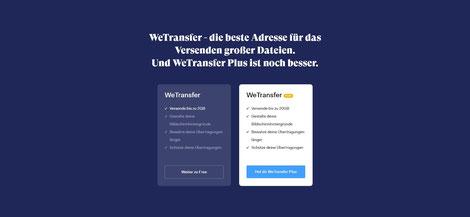
WeTransfer is still useful when you simply need to send a file quickly and move on. The free plan allows transfers up to 3 GB, with up to 10 transfers in a rolling 30-day period, so it works well for one-off delivery but not as a long-term audio hosting solution. For fast handoffs, though, it remains one of the simplest tools on the list.

Filemail

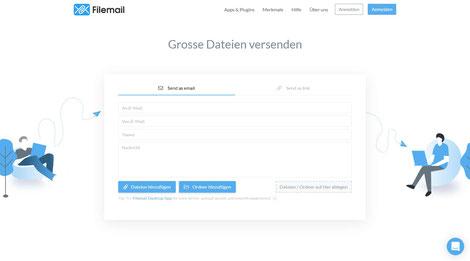
Filemail is a practical alternative if you often need to send larger files without much setup. Its free offering supports files up to 5 GB, gives you a shareable link, and does not require registration from the recipient. That makes it a convenient choice for sending sessions, stems, or masters when email attachments are not enough.

Hightail

Hightail is a collaboration-focused file-sharing service with built-in review tools. The free Lite plan supports files up to 100 MB and includes 2 GB of storage, while paid plans raise upload limits and add more control over approvals and project communication. It is more of a creative collaboration tool than a music-specific hosting platform, but it can still work well for feedback-based workflows.

Google Drive

Google Drive remains one of the easiest general-purpose options for storing and sharing audio files. Every Google account includes up to 15 GB of storage shared across Drive, Gmail, and Google Photos, and Drive can preview common audio formats such as MP3, MPEG, WAV, OGG, and Opus. It is not built specifically for music production, but it works very well for backup, simple sharing, and keeping project files accessible across devices.

Dropbox

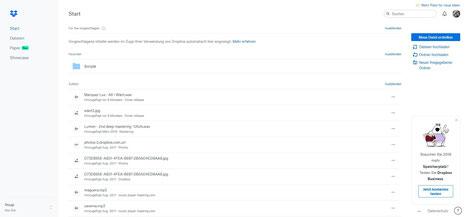
Dropbox is still one of the simplest ways to store, sync, and share music files. Dropbox Basic includes 2 GB of free storage, shared links make it easy to send files to other people, and Dropbox also supports file previews and comments in the browser. That makes it a useful option for straightforward collaboration, even if it is not built specifically for audio production.
mega cloud

Mega Cloud

MEGA is best known for its privacy-first approach to cloud storage. Its official materials emphasize user-controlled encrypted storage and sharing, along with generous free storage and the option to unlock more space through the achievements program. For music workflows, it makes more sense as a secure backup and file-sharing option than as a dedicated review platform.

Youtube Music to Backup your Music Catalogue

YouTube Music is useful if your main goal is to keep a personal music library in the cloud rather than send files to clients. You can upload up to 100,000 songs from a computer, and your uploaded music stays private to your account. That makes it a strong option for backing up and streaming your own catalogue, but not for professional delivery or revision workflows.

iBroadcast

iBroadcast remains one of the strongest options for a personal cloud music locker. Its free tier includes unlimited storage and nearly unlimited streaming at 128 Kbps, while Premium adds unlimited streaming plus higher bitrate and lossless playback for $3.99 per month or $44.99 per year. If your focus is personal library access rather than client collaboration, it is one of the most relevant services on this list.


HOW TO CREATE MUSIC PLAYLISTS FOR ALL STREAMING SERVICES

With soundiiz.com or Songshift, you can create and sync your Music playlists.

 It is also possible to automatically renew playlists on all streaming platforms or integrate the playlist on your website.

Spotify, Apple Music, Youtube, Soundcloud, Deezer, Napster and Qobus are supported. Here you can see what it looks like your users or fans can choose their favourite streaming provider and decide on which portal they want to listen to the music.

APPS TO LISTEN TO MUSIC OFFLINE

Best listen to music offline apps for Iphone and Android for uploading your existing music collection.

BACKUP ABLETON & FL STUDIO MUSIC PROJECT FILES

Splice is an excellent website to store your created music production projects online. The Service Splice allows you to save all your sound files on a cloud for free. Another advantage is that you can work with other artists on your songs. Every change is displayed online and can be undone for an unlimited time. Therefore Splice is a perfect solution to save your data twice and not lose it through a hard disk crash. Double saving always makes sense, especially for your music production projects you've been working on for many hours. 

For the following music production software / DAW, you can use Splice.

  • Ableton Live

  • FL Studio

  • Logic Pro X

  • Garage Band 

  • Studio One


Subscribe to our newsletter
Fresh insights, techniques, and trends in electronic music—production, mixing, and mastering—delivered straight to your inbox every week.

© Mixing Mastering Tonstudio - Mastrng.com | Germany, Leipzig - 04229 Probsteistr. 7

* Following the small business exemption of §19 of the German sales tax law, we do not collect or display sales tax.
Join +2400 Producers
Mix Mastering Insights for Electronic Music
Learn the secrets of music production, mixing & mastering to beat the competition.